
Waves and spawning: many pieces from one list
One brick is easy. Forty bricks, each with its own spot, sounds like forty lines of code. It isn't. A loop builds them, and a list keeps them all in one place.
The big idea
Keep many game pieces in a list. One loop builds them, another moves them, and a third draws them, however many there are.
See it in code
Start with an empty list. A loop makes one brick on each trip and adds it with append. In draw(), a second loop draws every brick in the list:
brick_start_x = 50
brick_gap_x = 77
bricks = []
for col in range(8):
    bricks.append(Thing(x=brick_start_x + col * brick_gap_x, y=80, width=70, height=22, color="tomato"))

def play():
    pass

def draw():
    paper("black")
    for brick in bricks:
        brick.draw()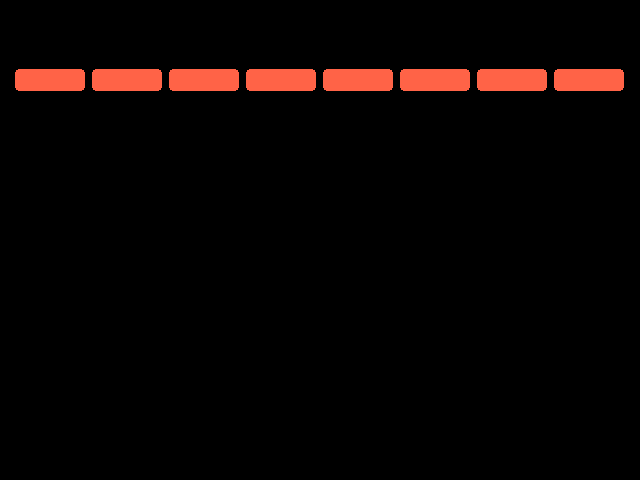
col counts 0 to 7, so each brick lands one gap further right. The list now holds eight Things, and for brick in bricks visits each one.
A loop inside a loop builds rows and columns. A list of colors, picked by the row number, turns the wall into a rainbow:
rows = 5
columns = 8
brick_start_x = 50
brick_start_y = 50
brick_gap_x = 77
brick_gap_y = 28
row_colors = ["tomato", "orange", "gold", "lime green", "deep sky blue"]

bricks = []
for row in range(rows):
    for col in range(columns):
        bricks.append(Thing(x=brick_start_x + col * brick_gap_x, y=brick_start_y + row * brick_gap_y, width=70, height=22, color=row_colors[row]))

def play():
    pass

def draw():
    paper("black")
    for brick in bricks:
        brick.draw()
    write(f"Bricks: {len(bricks)}", x=320, y=300, color="white")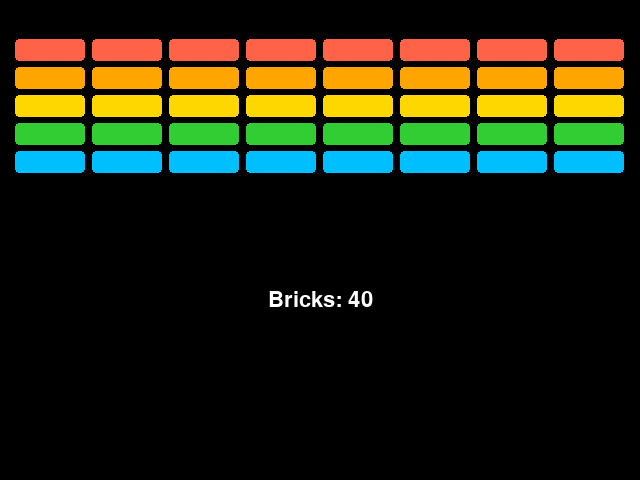
Nested loops multiply: 5 times 8 is 40. len(bricks) counts the list, so the number on screen is always the real number of bricks.
A list can grow and shrink while you play. This recipe makes a wave of rocks. Rocks that drift off the bottom are removed, and an empty list calls for the next wave:
rocks = []
game.wave = 0
rock_count = 4

def make_wave():
    game.wave = game.wave + 1
    for rock in range(rock_count + game.wave):
        rocks.append(Thing(x=random_number(30, 610), y=random_number(-200, -30), size=random_number(30, 50), color="slate gray", shape="circle", dy=random_number(3, 5)))

make_wave()

def play():
    for rock in list(rocks):
        rock.move()
        if rock.top > HEIGHT:
            rocks.remove(rock)
    if len(rocks) == 0:
        make_wave()

def draw():
    paper("black")
    for rock in rocks:
        rock.draw()
    write(f"Wave {game.wave}", x=320, y=30, color="gold")
    write(f"Rocks: {len(rocks)}", x=320, y=450, color="white")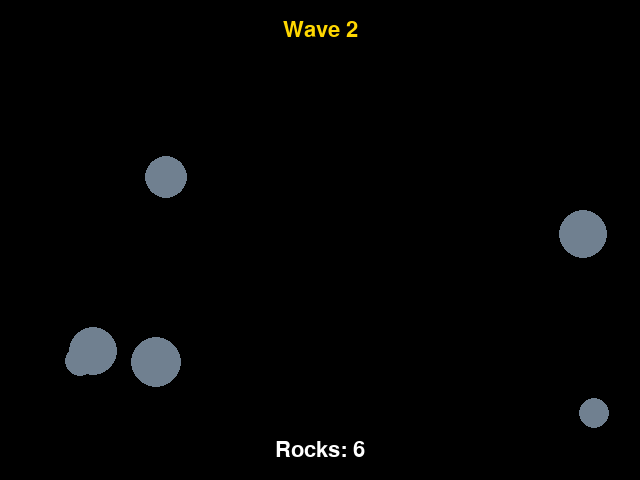
list(rocks) loops over a copy, which makes it safe to remove a rock in the middle of the loop. Each wave has one more rock than the last, because game.wave keeps growing.
The same list idea runs through every game. A snake's body is a list. So is a stream of gates, a burst of dust, and every laser you've fired.
Try it yourself
Change rock_count = 4 to 8 and run it. Then make the rocks faster as the waves go on, by adding game.wave to the top speed in random_number(3, 5).
The common mistake
Using = when you mean append. bricks = Thing(...) inside the loop throws the list away and keeps only the last brick. bricks.append(...) adds to the list and keeps the rest.
What it unlocks
Waves are built with for loops and loops inside loops, and they live in lists that grow and shrink. When two lists meet, you need touching.