
Game Development for Kids: Turn Gaming Interest Into Coding Skill
A practical parent guide to game development for kids: what students learn, when to start, which projects work best, and how to separate creation from passive gaming.
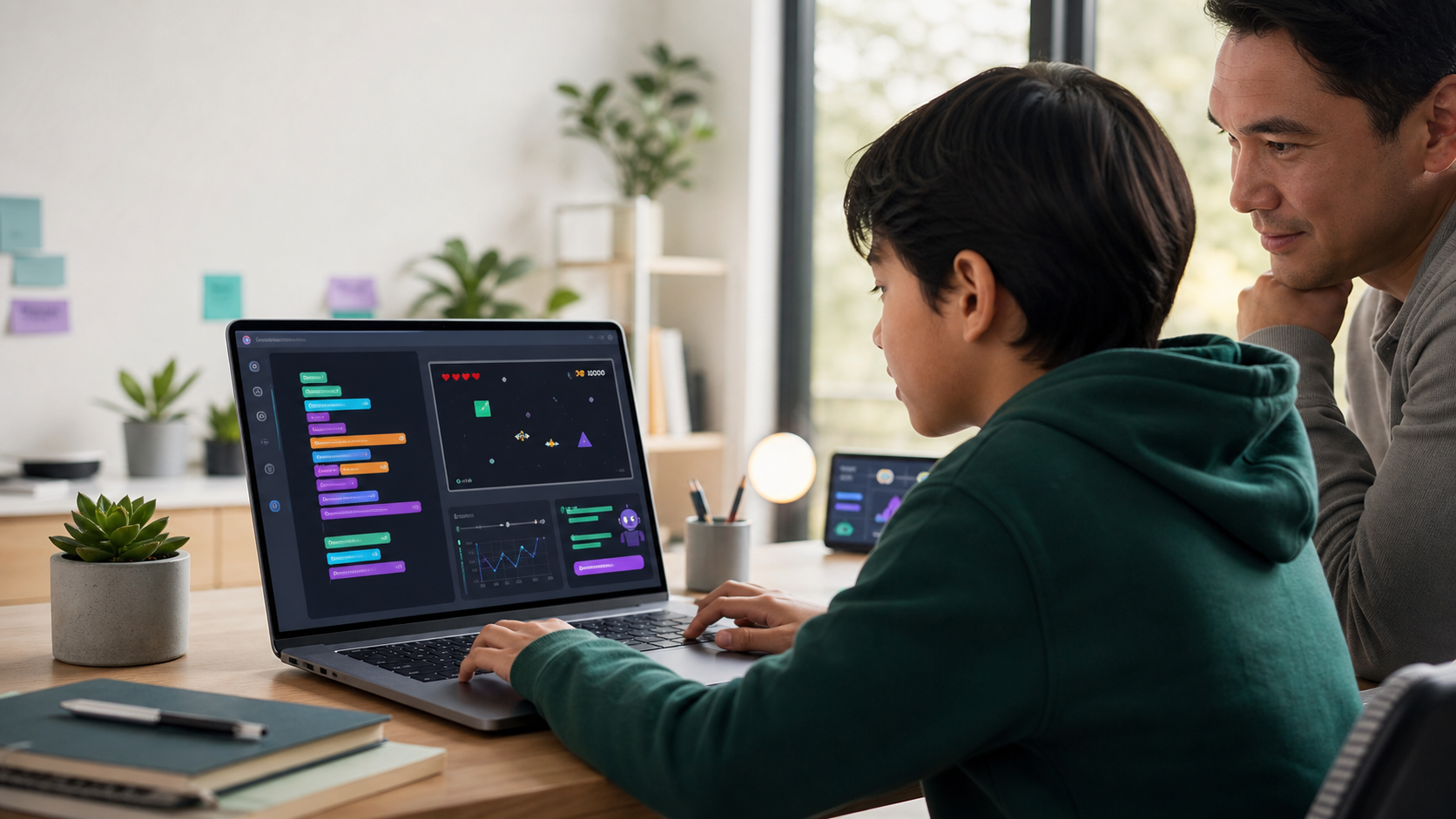
Game development for kids is one of the clearest ways to turn gaming interest into real technical skill.
That does not mean every child who likes games needs to become a professional game developer. It means games can give coding a visible purpose. Variables become player positions. Loops become animation. Conditions become rules. Lists become enemies, coins, bullets, or obstacles. Debugging becomes the difference between a game that feels broken and a game that works.
For parents, this matters because gaming is already part of many family lives. A 2026 Entertainment Software Association study, reported by TechRadar, found that two-thirds of Americans ages 5 to 90 play video games at least one hour per week, and many parents play with their children. The opportunity is not simply to add more screen time. The opportunity is to help students move from consuming games to understanding how interactive systems are made.
For families comparing coding classes for kids, online STEM classes, Python for Kids, or a focused Game Development path, the strongest question is not "Does my child like games?"
The stronger question is: "Can games become the reason my child learns logic, code, design, testing, and persistence?"
Quick Answer: Is Game Development Good For Kids?
Yes, game development can be excellent for kids when it is taught as structured coding, not just game play.
A good game development path helps students learn:
- Programming logic through movement, scoring, collisions, timers, and rules.
- Creative problem solving through characters, levels, difficulty, and feedback.
- Debugging through visible cause and effect.
- Math through coordinates, speed, distance, probability, grids, and patterns.
- Design thinking through player goals, clarity, fairness, challenge, and polish.
- Communication through explaining how a game works and what changed between versions.
The key is structure. A child who plays a game for two hours may have fun, but may not practice much technical thinking. A child who builds a small arcade game has to make decisions, test behavior, fix mistakes, and explain the system.
That is the difference between passive gaming and productive technical learning.
Game Development Is Not Just More Gaming
Parents are right to be skeptical. "My child likes games" does not automatically mean "my child is learning STEM."
Playing a game usually asks the child to react inside a system someone else designed. Building a game asks the child to design the system.
That shift changes the learning.
When students build games, they have to answer questions like:
- What should happen when the player presses an arrow key?
- How fast should the character move?
- What counts as a collision?
- How should the score change?
- What makes the game too easy, too hard, or unfair?
- What should happen when the player wins or loses?
- How should the game restart?
- What feedback tells the player they did something right?
Those are technical and design questions. They require logic, empathy, iteration, and judgment. The child is no longer only chasing rewards. They are building the reward system and learning why it works.
This is why game development can sit comfortably beside productive screen time and coding and screen time. The value is not the screen itself. The value is the thinking the screen demands.
What Kids Actually Learn From Coding Games
Game development gives abstract programming ideas a concrete job.
In a normal beginner coding exercise, a student may learn that a variable stores a value. In a game, a variable might store the player's x position, health, score, level, speed, or remaining time. That makes the concept easier to feel.
In a normal coding lesson, a loop repeats instructions. In a game, a loop redraws the world over and over so motion feels alive. Students can see why loops matter.
In a normal exercise, a condition checks whether something is true. In a game, a condition decides whether the player collected a star, hit a wall, lost a life, unlocked a level, or won.
Game projects also introduce students to system thinking. A simple arcade game may include:
- A game loop.
- Player input.
- Coordinate positions.
- Object movement.
- Collision checks.
- Scoring.
- Lives or health.
- Levels.
- Menus.
- Restart behavior.
- Sound or visual feedback.
- Basic game states such as start, playing, paused, won, and lost.
That is a meaningful programming foundation. It also connects naturally to broader computational thinking: decomposing a problem, identifying patterns, creating rules, testing assumptions, and improving the result.
Why Games Make Debugging Easier To Understand
Debugging is often where young coders either build confidence or shut down.
Games make debugging less mysterious because the bug is visible.
If the character moves backward, something is wrong with direction or speed. If a coin does not disappear, the collision or state update may be wrong. If the score jumps by ten instead of one, the scoring rule is firing too often. If the game never ends, the win or lose condition is missing.
That visibility helps students form a healthy debugging loop:
- Predict what should happen.
- Run the game.
- Notice what actually happened.
- Find the smallest part of the code that controls that behavior.
- Change one thing.
- Test again.
- Explain the fix.
This habit matters far beyond games. It is the same habit students need in Python projects, web development, robotics, data work, AI projects, and future technical classes.
It also builds emotional resilience. A game rarely works perfectly on the first try. That is not failure. That is the normal engineering process.
What Age Should Kids Start Game Development?
There is no single perfect age, but there are useful stages.
Ages 7-9: Visual Logic And Simple Remixes
Younger students often do best with visual or highly guided environments. The goal is not professional syntax. The goal is to understand sequence, events, loops, simple conditions, and cause and effect.
Good projects at this stage include:
- Move a character with keys.
- Catch falling objects.
- Make a simple maze.
- Add a score.
- Change colors, speed, or backgrounds.
- Remix a starter project safely.
Parents should look for clear boundaries and small wins. A child should be able to explain, in plain language, what changed and why.
Ages 9-12: First Real Game Code
Many students in this range are ready for beginner game coding with typed code, especially when the environment is browser-based and the projects are concrete.
This is where a course like Game Development can be especially useful. Students can build playable arcade-style projects while learning the code behind movement, collisions, scores, lists, loops, and game states.
At this stage, game development should still feel accessible, but it should not be fake coding. Students should write real instructions, test real behavior, and gradually build toward a complete project.
Ages 12-15: Deeper Systems And Web Projects
Older students can handle more complex architecture.
They can learn about:
- Reusable functions.
- Multiple levels.
- Arrays or lists of enemies.
- State machines.
- User interface screens.
- Local data such as high scores.
- Physics-like movement.
- Responsive web layouts.
- Basic publishing and portfolio presentation.
This connects well to Website Development because browser games combine code, design, interaction, and user experience.
Ages 15+: Portfolio And Technical Direction
Teens can treat game development as one branch of a broader technical portfolio.
A strong teen project is not only a game that runs. It includes an explanation of the design, the code structure, the hardest bug, the tradeoffs, and what the student would improve next.
That kind of reflection is what turns a fun project into evidence of real skill.
Python, JavaScript, Or Scratch: Which Is Best For Game Development?
The best language depends on the student's age, goals, and readiness.
Scratch-style visual coding can be excellent for younger learners because it reduces syntax friction. Students can focus on events, movement, loops, and conditions without worrying about punctuation.
Python is strong for beginner game development because it is readable and maps well to the logic students need: variables, functions, loops, lists, and conditions. A Python-style game path is especially useful when the course keeps setup simple and lets students preview their game in the browser.
JavaScript is useful when the student is ready for browser-native interactivity. It connects directly to web pages, buttons, canvas, and interactive projects. For students already building websites, JavaScript can make game ideas visible inside the browser.
The right path often looks like this:
- Start with visual logic if the student is young or brand new.
- Move into Python when the student is ready for typed code and readable syntax.
- Add JavaScript and web development when the student wants to build browser projects, interactive pages, and portfolio pieces.
For a deeper comparison, see best programming language for kids and JavaScript for kids.
What Parents Should Look For In A Game Coding Course
A good game development course should not be a collection of disconnected tutorials.
Look for a path that includes:
- A clear project sequence from simple to more complex.
- Real coding concepts, not only drag-and-drop customization.
- Browser-based setup so the technology barrier is low.
- Visible output after each lesson.
- Debugging support that explains instead of simply fixing the answer.
- Safe projects without multiplayer chat, loot mechanics, or monetization pressure.
- Parent-visible progress.
- A final project the student can explain.
The safety point matters. The ESRB ratings guide separates age suitability, content descriptors, and interactive elements such as online communication or real-money purchases. Parents do not need a game development course to recreate the commercial gaming environment. The point is to teach creation in a controlled learning space.
The American Academy of Pediatrics' Family Media Plan is also useful here. Families can set expectations for when screens are used, where devices are used, and what kinds of screen time count as constructive. Game development fits best when it is planned, visible, and balanced with sleep, school, physical activity, and offline life.
Beginner Game Development Projects For Kids
The best beginner projects are small enough to finish but rich enough to teach real concepts.
1. Catch The Star
The player moves left and right while stars fall from the top of the screen. Each catch adds a point. Missing too many stars ends the game.
Skills practiced:
- Keyboard input.
- X and y coordinates.
- Random positions.
- Collision checks.
- Score tracking.
- Game over rules.
2. Space Defender
The player controls a ship, fires projectiles, and avoids or destroys incoming enemies.
Skills practiced:
- Lists of bullets and enemies.
- Movement speed.
- Timers or spawn logic.
- Collision between objects.
- Health or lives.
- Balancing difficulty.
3. Maze Runner
The player moves through a grid, collects coins, avoids walls, and reaches an exit.
Skills practiced:
- Grid thinking.
- Wall detection.
- Level design.
- Conditions.
- Win states.
- Fair challenge.
4. Boss Battle
The player faces a larger enemy with attack patterns and phases.
Skills practiced:
- Game states.
- Health bars.
- Pattern recognition.
- Functions.
- Difficulty tuning.
- Testing for fairness.
5. Arcade Menu
The student combines several small games into one arcade hub with a title screen, menu, credits, and high scores.
Skills practiced:
- Project structure.
- State transitions.
- User interface decisions.
- Data tracking.
- Polish.
- Portfolio presentation.
This is the kind of pathway Generation STEM uses in Game Development: small playable systems that build toward a larger Arcade City project.
Where AI Belongs In Game Development For Kids
AI can be helpful in game development, but it should not replace the student's thinking.
Used well, AI can:
- Explain an error message in simpler language.
- Offer a hint about what part of the code to inspect.
- Suggest a test case.
- Help brainstorm safe project ideas.
- Ask the student to predict what the code will do.
- Help a parent understand what the child is building.
Used poorly, AI can generate the whole game before the student understands it. That may look impressive, but it weakens the learning.
This is the same boundary discussed in vibe coding for kids and prompt engineering for kids. AI should support debugging, reflection, and explanation. It should not turn the child into a passenger.
Computer science education research in the generative AI era increasingly points to this same tension: AI can support learning, but courses still need strong assessment, student explanation, and safeguards against over-reliance.
How Game Development Connects To Future Skills
Game development is not only for students who want to work in games.
The same foundations transfer into many technical areas:
- Software development: planning, coding, testing, and iteration.
- Web development: interfaces, interaction, responsiveness, and user experience.
- Data science: scores, events, patterns, and metrics.
- AI: rules, agents, behavior, simulation, and evaluation.
- Robotics: sensors, actions, loops, and real-time feedback.
- Cybersecurity: safe systems, input handling, and responsible design.
The U.S. Bureau of Labor Statistics projects much faster-than-average employment growth for software developers, quality assurance analysts, and testers from 2024 to 2034. But the more important parent takeaway is not "my child must become a programmer." It is that modern technical careers reward people who can understand systems, test ideas, communicate clearly, and solve problems.
Game development gives kids a concrete way to practice those habits.
It also fits the direction of K-12 technology education. The 2025 State of AI and Computer Science Education report emphasizes that AI and computer science are increasingly part of state policy conversations. Students who understand code, logic, and system design are better prepared to participate in that world.
A Parent Checklist For Productive Game Coding
Before choosing a game development class, ask:
- Will my child write real code or mostly customize templates?
- Are projects small enough to finish?
- Does each project teach a specific concept?
- Can my child explain the game loop, rules, and bug fixes?
- Is the environment safe, browser-based, and free from public chat?
- Does the course avoid monetization mechanics and gambling-like design?
- Is AI used for hints and explanation, not full answer generation?
- Can I see progress as a parent?
- Does the final project become something my child can show and discuss?
If the answer is yes, game development can be one of the most effective bridges from interest to skill.
FAQ: Game Development For Kids
Is game development good for kids?
Yes, game development is good for kids when it teaches coding, design, debugging, and explanation. The value comes from building games, not simply playing them.
What age should kids start game development?
Many kids can start visual game logic around ages 7-9. Typed game coding often works well around ages 9-12 with the right support. Teens can move into deeper web, portfolio, and software design projects.
Is Python good for game development for kids?
Yes. Python is a strong beginner language because it is readable and teaches transferable programming concepts. For kids, Python-style game projects can make variables, loops, functions, lists, and conditions visible.
Should my child learn Scratch before Python game development?
Some children benefit from Scratch-style visual logic first, especially younger beginners. Others can start with Python if the projects are guided, visual, and browser-based. The best choice depends on readiness, typing confidence, and frustration tolerance.
Is game development just more screen time?
It can be, if the child is only watching tutorials or playing games. It becomes productive screen time when the child is writing code, testing behavior, debugging, explaining decisions, and finishing projects.
Can AI help kids build games?
AI can help if it gives hints, explains errors, or asks guiding questions. It becomes a problem when it generates the full project and the student cannot explain the code.
Start With A Game Your Child Can Actually Build
The best first game is not the most advanced one. It is the one your child can understand, finish, test, and improve.
Generation STEM's Game Development path helps kids build playable arcade projects in a browser-based coding environment, with Nova AI support, visible progress, and parent-friendly structure. Families can also compare broader coding classes for kids, start with Python for Kids, or review family plans when they want a structured route from gaming interest to real technical confidence.
Suggested Related Articles
- Coding and Screen Time for Kids: When Digital Learning Is Worth It
- Productive Screen Time for Kids: What Parents Should Look For
- Python Projects for Kids: Beginner Ideas That Build Real Coding Skill
- JavaScript for Kids: Why Browser Coding Still Matters in the AI Era
- Computational Thinking for Kids: The Problem-Solving Skill Behind Coding and AI
Sources
- TechRadar: 2026 ESA study on U.S. video game participation
- Code.org Advocacy Coalition: 2025 State of AI and Computer Science Education
- U.S. Bureau of Labor Statistics: Software Developers, Quality Assurance Analysts, and Testers
- American Academy of Pediatrics: Family Media Plan
- ESRB Ratings Guide
- Computer Science Education in the Age of Generative AI