
Frames and motion: how things move in a game
Nothing in a game really moves. A piece is drawn in one spot, then a tiny bit further along, then a tiny bit further. Shown fast enough, your eyes see motion.
The big idea
Motion is a small change to a piece's x or y on every frame. The size of that change is its speed.
See it in code
Add a little to y every frame and a piece falls. The number you add is the speed. Bigger number, faster fall:
slow = Thing(x=220, y=40, size=40, color="orchid", shape="circle")
fast = Thing(x=420, y=40, size=40, color="hot pink", shape="circle")
slow_speed = 2
fast_speed = 4

def play():
    slow.y = slow.y + slow_speed
    fast.y = fast.y + fast_speed

def draw():
    paper("misty rose")
    rect(x=320, y=455, width=640, height=50, color="burlywood")
    slow.draw()
    fast.draw()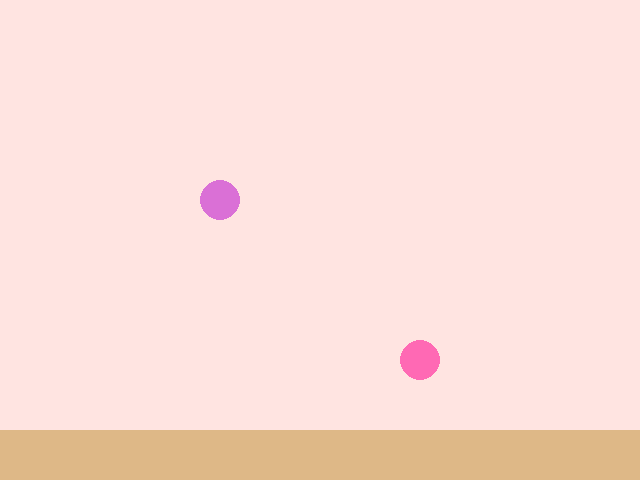
Both ran for the same 80 frames. One moved 160 steps and the other 320. Speed is just how much you add each frame.
A Thing can carry its own speeds: dx across and dy down. .move() adds both. To bounce off a wall, flip the sign of one speed:
ball = Thing(x=40, y=60, size=18, color="white", shape="circle", dx=4, dy=5)
dots = []

def play():
    ball.move()
    if ball.right > WIDTH or ball.left < 0:
        ball.dx = -ball.dx
    if ball.top < 0 or ball.bottom > HEIGHT:
        ball.dy = -ball.dy
    if every(5):
        dots.append(Thing(x=ball.x, y=ball.y, size=7, color="light sky blue", shape="circle"))

def draw():
    paper("navy")
    for dot in dots:
        dot.draw()
    ball.draw()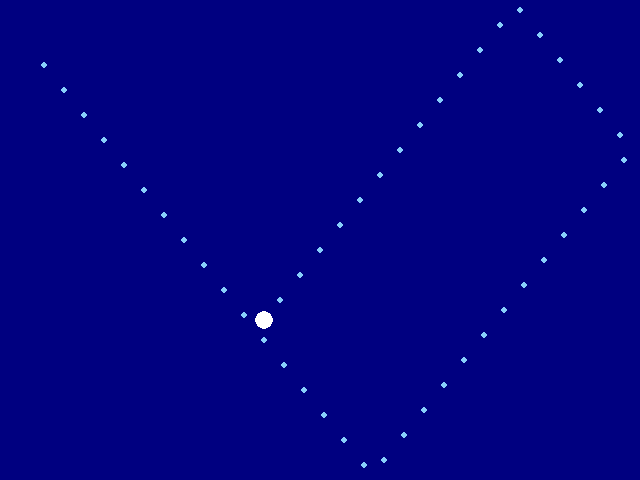
A dy of 5 means down. A dy of -5 means up. So ball.dy = -ball.dy turns a ball heading for the floor into one heading away from it.
Gravity is a speed that grows. Add a little to dy every frame, then move. The ball falls faster and faster, until the ground sends it back up:
ball = Thing(x=30, y=80, size=24, color="gold", shape="circle", dx=2.6, dy=0)
gravity = 0.4
bounce = 0.85
ground_y = 430
half_ball = 12
dots = []

def play():
    ball.dy = ball.dy + gravity
    ball.move()
    if ball.bottom > ground_y:
        ball.y = ground_y - half_ball
        ball.dy = -ball.dy * bounce
    if every(4):
        dots.append(Thing(x=ball.x, y=ball.y, size=7, color="white", shape="circle"))

def draw():
    sky(top_color="deep sky blue", bottom_color="light cyan")
    rect(x=320, y=455, width=640, height=50, color="forest green")
    for dot in dots:
        dot.draw()
    ball.draw()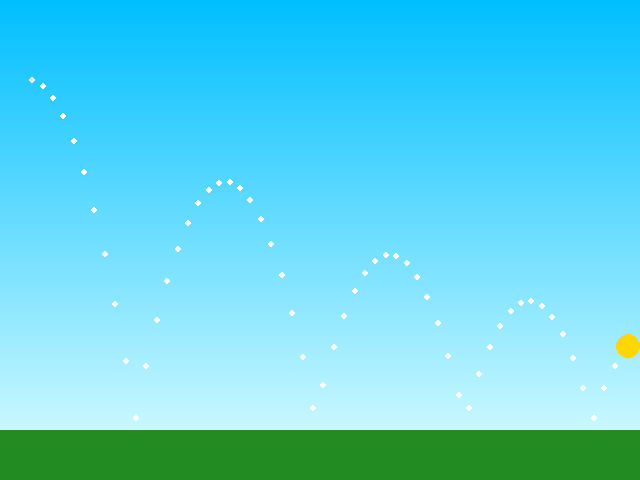
Two lines make the physics: grow the speed, then move. Look at the dots. They're close together at the top of each arc, where the ball is slow, and far apart near the ground.
Every moving thing in a game uses these ideas. A paddle slides. A snake steps. A hopper falls and flaps. A rock drifts down the screen.
Try it yourself
Change gravity to 0.8 and run it. The ball feels heavier. Then set bounce to 1 and see what a ball that never loses any speed looks like.
The common mistake
Mixing up the signs. Up is a smaller y, so moving up means taking away from y. A "down" key that makes a piece climb has its plus and minus swapped.
What it unlocks
Motion happens inside the game loop, one frame at a time. A speed that keeps growing is a running total, and things that happen every few frames use timers.