
Timers and countdowns: make things happen on time
A power-up that lasts ten seconds. A snake that steps eight times a second. A banner that fades after a moment. Games are full of things that happen on time.
The big idea
A game counts time in frames. every(n) is True once every n frames, and a countdown is a number that loses 1 each frame until it hits 0.
See it in code
every(8) is True on frame 0, frame 8, frame 16, and so on. Put a move inside it and the piece steps on a beat, not on every frame:
cell = 20
step_time = 8
head = Thing(x=110, y=250, size=18, color="lime green")
game.steps = 0

def play():
    if every(step_time):
        head.x = head.x + cell
        game.steps = game.steps + 1

def draw():
    paper("dark olive green")
    for col in range(32):
        line(x1=col * cell, y1=0, x2=col * cell, y2=HEIGHT, color="dark green", width=1)
    for row in range(24):
        line(x1=0, y1=row * cell, x2=WIDTH, y2=row * cell, color="dark green", width=1)
    head.draw()
    write(f"Steps: {game.steps}", x=320, y=30, color="white")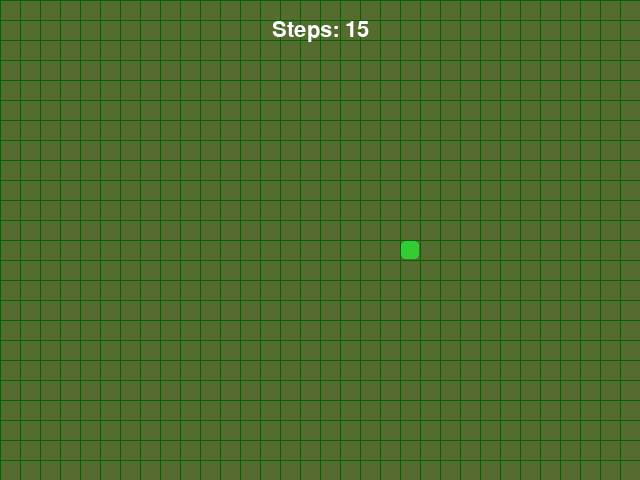
The game runs 60 frames a second. One step every 8 frames is about 7 or 8 steps a second. A smaller step_time makes a faster snake.
A countdown makes something last a while. Set a number when the power starts, take 1 away on every frame, and act when it reaches 0:
paddle = Thing(x=320, y=430, width=90, height=18, color="white")
normal_width = 90
wide_width = 180
power_frames = 120
bar_scale = 3
game.power_timer = 0

def play():
    if key_pressed("space"):
        game.power_timer = power_frames
        paddle.width = wide_width
    if game.power_timer > 0:
        game.power_timer = game.power_timer - 1
        if game.power_timer == 0:
            paddle.width = normal_width

def draw():
    paper("black")
    paddle.draw()
    if game.power_timer > 0:
        box(x=320, y=60, width=game.power_timer * bar_scale, height=12, color="gold", corner=6)
    write(f"Power: {game.power_timer}", x=320, y=30, color="white")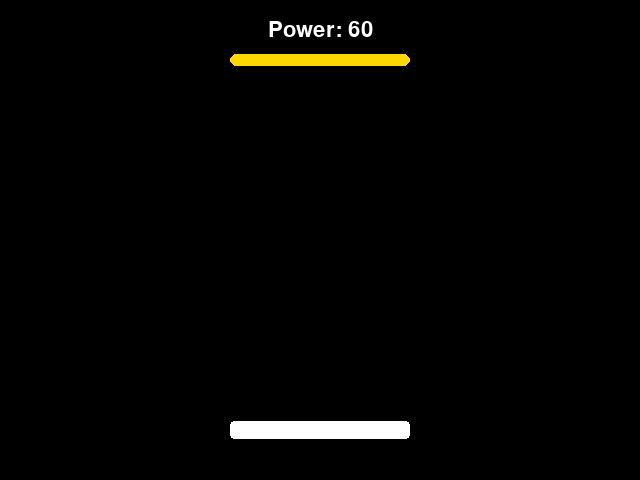
The paddle stays wide until the countdown ends, then one line shrinks it back. The gold bar reads the same number, so it shrinks as time runs out.
Timers combine. This ship starts with a shield that lasts 180 frames. While it lasts, every() makes a ring blink around the ship, and a banner shows for the first 120:
ship = Thing(x=320, y=400, width=44, height=24, color="light sky blue")
shield_frames = 180
banner_frames = 120
blink_time = 6
game.shield = shield_frames
game.banner = banner_frames

def play():
    if game.shield > 0:
        game.shield = game.shield - 1
    if game.banner > 0:
        game.banner = game.banner - 1

def draw():
    paper("black")
    ship.draw()
    if game.shield > 0 and not every(blink_time):
        ring(x=ship.x, y=ship.y, size=70, color="deep sky blue", width=3)
    if game.banner > 0:
        write("Shield on!", x=320, y=220, size=56, color="gold")
    write(f"Shield: {game.shield}", x=320, y=30, color="white")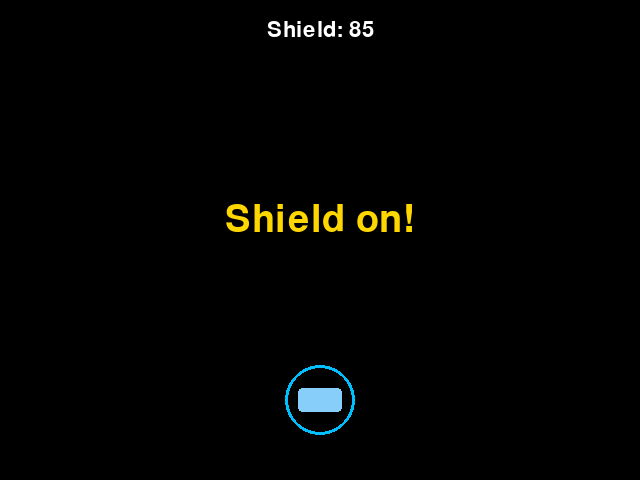
Two countdowns run side by side, and each one ends by itself. not every(blink_time) hides the ring for one frame in six, which is what makes it flicker.
Counting frames gives a game its sense of time. A serve after a pause. A wave banner. A sparkle that fades. A speed that goes up every thirty seconds.
Try it yourself
Change step_time = 8 to 4 in the snake game and watch the head race. Then set power_frames to 40 and see how short a power-up can feel.
The common mistake
Forgetting to stop at zero. Without the check if game.power_timer > 0, the number keeps falling: -1, -2, -3. Then == 0 never comes true again. Count down only while there's time left.
What it unlocks
Timers tick inside the game loop, once per frame. A countdown is a running total that goes down, and it often switches a game state when it ends.