
Game state: title screen, playing, game over
A real arcade game doesn't just start. It shows a title, waits for you, plays, and ends with a game over screen. One small variable runs that whole show.
The big idea
A game state is one variable that says which part of the game is happening. play() and draw() check it and act to match.
See it in code
Keep the state on the scoreboard as a word. Then draw() can ask which word it is, and paint the right screen:
game.mode = "title"
game_title = "CUPCAKE CATCH"

def play():
    pass

def draw():
    paper("midnight blue")
    if game.mode == "title":
        write(game_title, x=320, y=200, size=76, color="gold")
        write("Press space to start", x=320, y=280, size=34, color="white")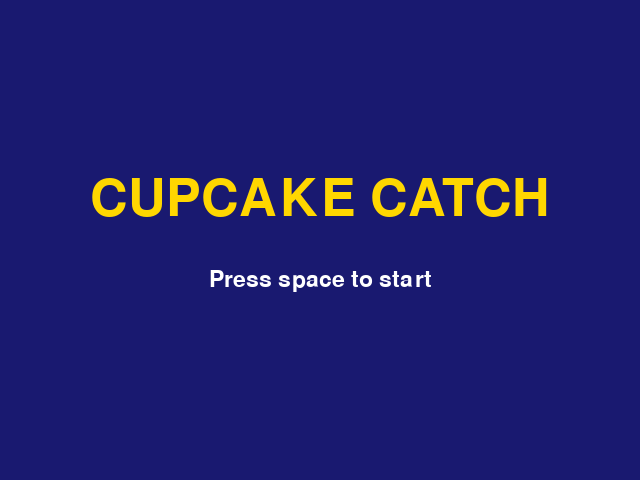
game.mode holds the word "title". Nothing changes it yet, so the game stays on this screen forever.
Changing the word starts a new part of the game. While the state is "title", play() checks for space and then returns, which skips every line below it:
game.mode = "title"
basket = Thing(x=320, y=420, width=100, height=24, color="teal")
basket_speed = 6

def play():
    if game.mode == "title":
        if key_pressed("space"):
            game.mode = "playing"
        return
    if key_held("left"):
        basket.x = basket.x - basket_speed
    if key_held("right"):
        basket.x = basket.x + basket_speed

def draw():
    paper("misty rose")
    if game.mode == "title":
        write("Press space to start", x=320, y=240, size=40, color="sienna")
        return
    rect(x=320, y=455, width=640, height=50, color="burlywood")
    basket.draw()
    write("Playing!", x=320, y=30, color="sienna")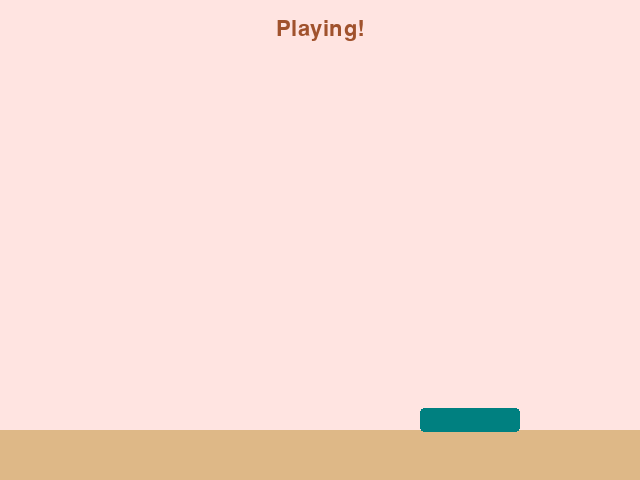
return ends the recipe early. On the title screen the steering lines are never reached, so the arrow keys do nothing until the game begins.
Add a third state for the end. A start_game() recipe sets everything up, so the title screen and the game over screen can both use it:
game.mode = "title"
basket = Thing(x=320, y=420, width=100, height=24, color="teal")
start_y = -20
cupcake = Thing(x=500, y=start_y, size=40, color="orchid", shape="circle")
start_lives = 2

def start_game():
    game.lives = start_lives
    cupcake.y = start_y
    game.mode = "playing"

def play():
    if game.mode != "playing":
        if key_pressed("space"):
            start_game()
        return
    cupcake.y = cupcake.y + 6
    if cupcake.top > HEIGHT:
        game.lives = game.lives - 1
        cupcake.y = start_y
    if game.lives == 0:
        game.mode = "over"

def draw():
    paper("misty rose")
    rect(x=320, y=455, width=640, height=50, color="burlywood")
    if game.mode == "title":
        write("Press space to start", x=320, y=240, size=40, color="sienna")
        return
    cupcake.draw()
    basket.draw()
    write(f"Lives: {game.lives}", x=320, y=30, color="sienna")
    if game.mode == "over":
        box(x=320, y=240, width=460, height=120, color="sienna", corner=16)
        write("Game over!", x=320, y=222, size=52, color="white")
        write("Press space to play again", x=320, y=268, size=28, color="misty rose")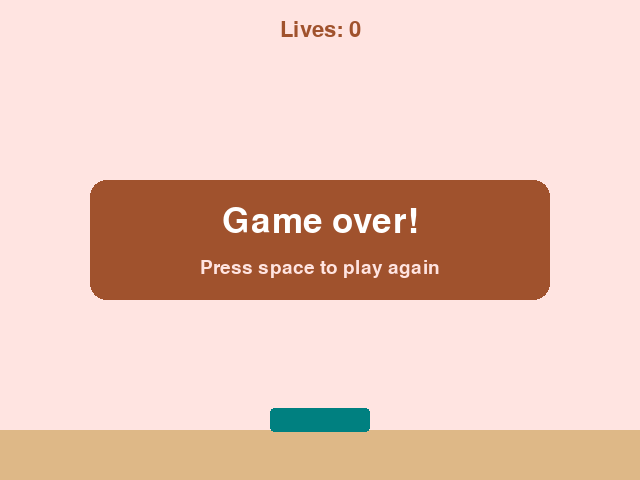
!= means "is not." So one check covers the title screen and the game over screen. In both, space calls start_game() and play begins again.
States are everywhere in games: paused, a new level loading, a shield switched on. Anything that changes the rules for a while is a state.
Try it yourself
Add a pause. When the mode is "playing" and "p" is pressed, set it to "paused". When it's "paused" and "p" is pressed, set it back. Use elif so one press does one thing.
The common mistake
Misspelling the word. game.mode = "titel" matches nothing, so the game shows no screen at all and space does nothing. A state's word must match exactly, everywhere it's used.
What it unlocks
States are checked with if and elif at the very top of the game loop. What usually ends a game is running out of lives.