
Colors: real names, and the numbers inside them
A screen can show millions of colors. You can ask for one by its real name, like "gold". Or you can mix your own from three numbers.
The big idea
A color can be a real name in quotes, or three numbers from 0 to 255 that say how much red, green, and blue to mix.
See it in code
The easy way is a name. A color is a real color name inside quotes. Two-word names work with a space in the middle:
swatch_start = 60
swatch_gap = 70

paper("light sky blue")
circle(x=swatch_start, y=200, size=56, color="coral")
circle(x=swatch_start + swatch_gap, y=200, size=56, color="gold")
circle(x=swatch_start + swatch_gap * 2, y=200, size=56, color="sea green")
circle(x=swatch_start + swatch_gap * 3, y=200, size=56, color="royal blue")
circle(x=swatch_start + swatch_gap * 4, y=200, size=56, color="orchid")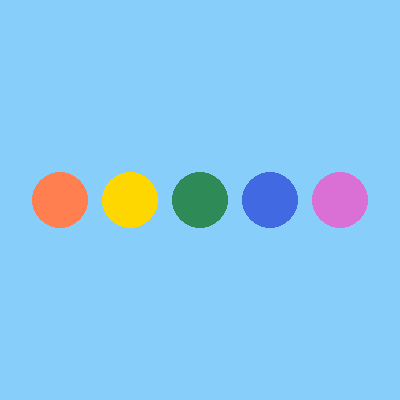
The name must be a real one, spelled right. Ask for "goldd" and the studio tells you it doesn't know that color.
Behind every name are three numbers: how much red, green, and blue. Each goes from 0 (none) to 255 (all the way). Use them by putting the three numbers in parentheses:
paper("white")
square(x=90, y=200, size=90, color=(255, 0, 0))
square(x=200, y=200, size=90, color=(0, 255, 0))
square(x=310, y=200, size=90, color=(0, 0, 255))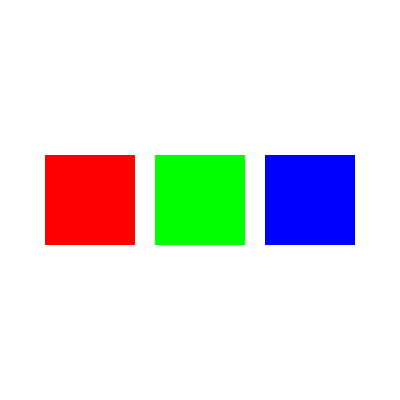
The first number is red, the second green, the third blue. (255, 0, 0) means all the red, with no green and no blue.
Now mix. Keep the red at full and add more green each time. Red light plus green light makes yellow:
paper("dark slate gray")
square(x=65, y=200, size=80, color=(255, 0, 0))
square(x=155, y=200, size=80, color=(255, 90, 0))
square(x=245, y=200, size=80, color=(255, 170, 0))
square(x=335, y=200, size=80, color=(255, 255, 0))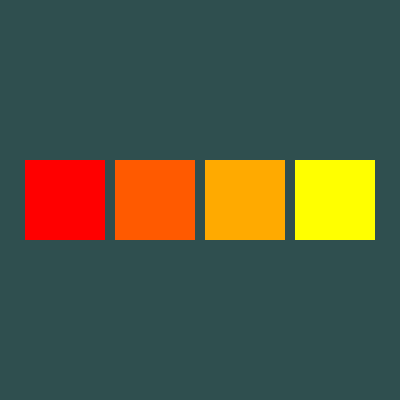
Only the middle number changed. More green turned red into orange, then into yellow. Screens mix light, so the rules differ from mixing paint.
Every screen you look at works this way. A website's colors, a game's sky, and a photo are all built from red, green, and blue numbers.
Try it yourself
Change the last square to (255, 255, 255) and run it. All three at full makes white. Now try (0, 0, 0). What do you get when every light is off?
The common mistake
Using a number bigger than 255. Each of the three numbers has a top of 255. Also keep them in order: red, then green, then blue. Swap two and you get a different color.
What it unlocks
Colors go into every shape you paint, so see drawing shapes next. A list of colors makes a palette, and randomness can pick from it for you.