
Threat Modeling for Teens: The Safer First Step Before Ethical Hacking
Threat modeling helps teens learn cybersecurity by asking what could go wrong, who could be affected, and how a safer design would reduce risk.
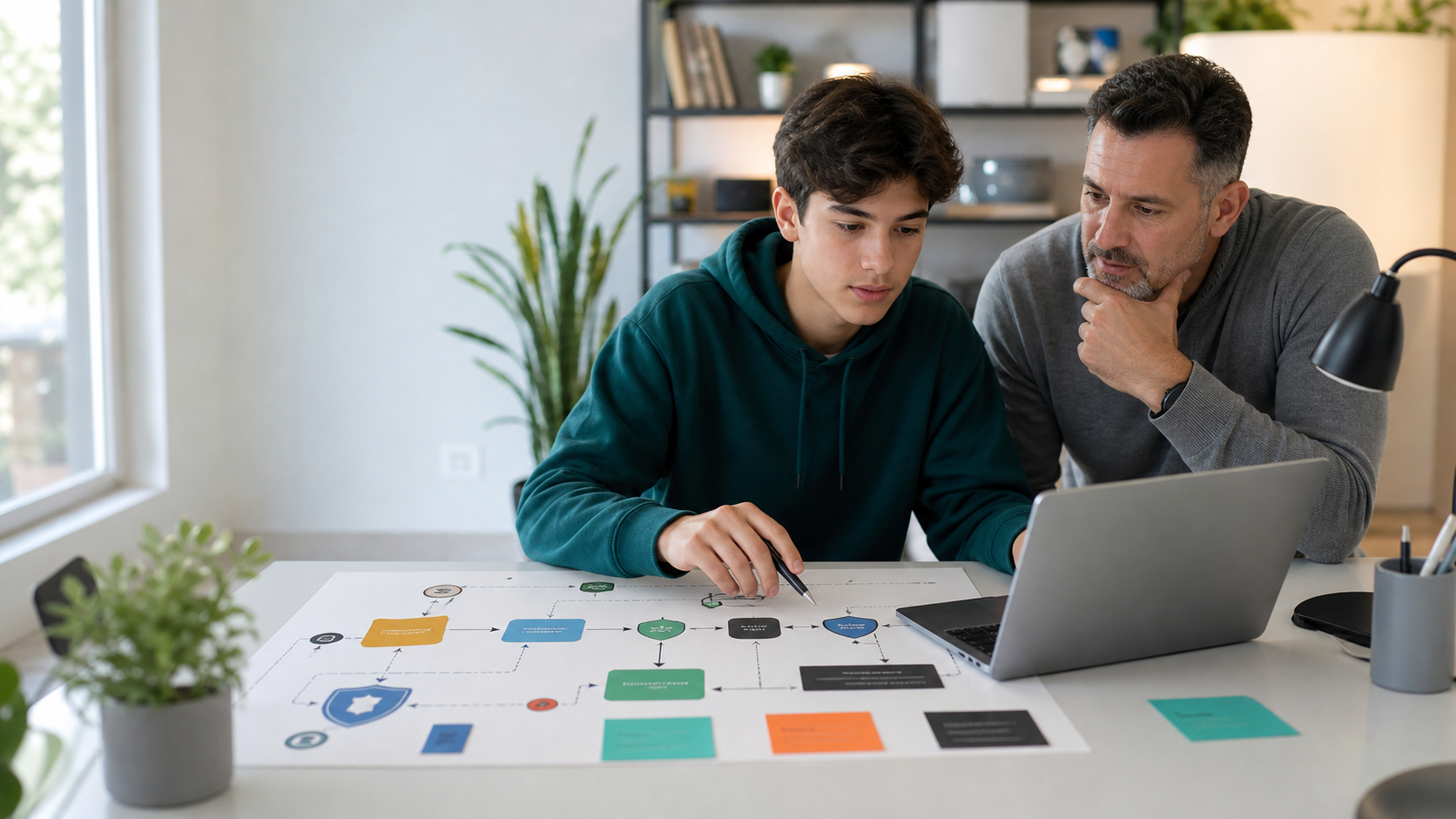
Threat modeling for teens is one of the safest ways to introduce real cybersecurity thinking. Before a student tries a lab, audits a website, uses an AI tool, or talks about ethical hacking, threat modeling asks a calmer question: what could go wrong, who could be harmed, and what would make the system safer?
That question matters because many teenagers are already surrounded by systems with real stakes. They use school accounts, cloud documents, group chats, game profiles, payment apps, AI assistants, coding tools, social platforms, and shared family devices. They may also be curious about cybersecurity because it sounds exciting. Parents need a pathway that turns that curiosity into discipline instead of rule-breaking.
For families comparing ethical hacking for teens, coding classes for kids, AI classes for kids, or broader online STEM classes, threat modeling is a useful quality signal. It teaches students to think like responsible builders before they think like attackers.
Quick Answer: What Is Threat Modeling for Teens?
Threat modeling for teens is the age-appropriate practice of mapping a digital system, identifying what needs protection, imagining realistic ways it could fail, and proposing safer design choices. It does not require hacking a live target. It can be done with a whiteboard, a diagram, a sample app, a fictional scenario, or a supervised classroom project.
A teen threat model usually answers six questions:
- What are we building or using?
- What important data, accounts, people, or actions need protection?
- Who might misuse the system, accidentally or intentionally?
- What could go wrong?
- How likely and serious is the risk?
- What design change, rule, test, or safeguard would reduce the risk?
This makes cybersecurity concrete without making it reckless. A student learns that security is not only about finding bugs. It is about understanding systems, people, data, permissions, incentives, and consequences.
Why Threat Modeling Belongs Before Ethical Hacking
Ethical hacking can be valuable for mature teens when it is taught with permission, scope, logging, and safe lab boundaries. But if a student starts with "How do I break in?" before learning "What is the system supposed to protect?", they may miss the most important lesson.
Security work is not chaos. It is disciplined reasoning.
Threat modeling gives teens that discipline. Instead of copying exploit steps from a video, the student practices reading the shape of a system. A login form is not just a box. It is a place where identity, passwords, sessions, rate limits, recovery flows, and privacy meet. A classroom AI tool is not just a chatbot. It may involve student prompts, uploaded documents, model outputs, content filters, teacher dashboards, logs, and parent expectations.
The safer order is:
- Learn the rules and permission boundaries.
- Map the system.
- Identify what needs protection.
- Predict plausible failure modes.
- Recommend safeguards.
- Test only inside approved practice environments.
That sequence helps teens become trustworthy. It also makes later security labs more meaningful because students understand why the lab matters.
What Parents Should Know About Modern Cyber Risk
Cybersecurity has become more visible because everyday tools are more connected. A teenager may not manage corporate infrastructure, but they already interact with real security ideas:
- authentication when they log in;
- authorization when a file is shared with one person but not another;
- privacy when a tool asks for personal information;
- trust when a link claims to be from school;
- integrity when an AI answer may be wrong;
- availability when an account is locked or a service goes down;
- consent when photos, voices, or messages are uploaded to apps.
AI raises the stakes because it can make convincing messages, code, websites, voices, and summaries easier to generate. It also adds new design questions. What data goes into the AI tool? Can the student delete it? Is the model allowed to see private files? Could a prompt accidentally include a password, address, grade, medical detail, or private conversation? Could an AI assistant follow a bad instruction from an untrusted document?
These are threat modeling questions. They are also practical parent questions.
Professional resources point in the same direction. NIST's Cybersecurity Framework organizes security work around identifying, protecting, detecting, responding, recovering, and governing cyber risk. OWASP describes threat modeling as a way to identify, communicate, and understand threats and mitigations in a system. CISA's Secure by Design guidance pushes technology builders to address security earlier in the design process, not only after something breaks.
Teens do not need to memorize professional frameworks on day one. But they can learn the core habit: good security starts before the incident.
A Simple Threat Modeling Method Teens Can Use
A teen-friendly method should be structured enough to be useful and simple enough to repeat. The goal is not a perfect professional report. The goal is a clear thinking loop.
Step 1: Draw the System
Start with a small system, not the whole internet. Good beginner examples include:
- a personal portfolio website;
- a school club signup form;
- a Python password-strength checker;
- a simple game leaderboard;
- a shared family device;
- a fictional tutoring chatbot;
- a note-taking app for a class project;
- a mock online store with no real payments.
The student draws the main parts: users, screens, databases, files, accounts, messages, APIs, AI tools, and external services. Arrows show how information moves.
This is a strong bridge into web development for teens, because web projects make data flow visible. A form sends information. A page displays information. A script responds to clicks. A server stores something. A user has permissions. Security becomes easier to discuss when the system has parts students can point to.
Step 2: Name What Needs Protection
Next, the teen lists the assets. In cybersecurity, an asset is anything valuable enough to protect.
For a teen project, assets might include:
- usernames and passwords;
- email addresses;
- school names or class rosters;
- private chat messages;
- photos, voices, or uploaded files;
- API keys and tokens;
- assignment drafts;
- game scores or progress;
- payment details in a fictional store;
- AI prompts and model responses;
- a student's reputation, safety, or trust.
This step is important because teens often think privacy means only "do not share your address." In real systems, privacy is broader. A harmless-looking screenshot, voice sample, location clue, file name, browser tab, or chat excerpt can reveal more than expected.
Step 3: Imagine Realistic Failure Modes
Now the student asks what could go wrong. The best beginner threat models avoid dramatic movie plots and focus on plausible failures.
For a portfolio website:
- Could the contact form collect more data than needed?
- Could a private email address be exposed?
- Could an AI-generated bio include a claim that is not true?
- Could a broken link send visitors to a fake page?
- Could a copied script create a security or privacy problem?
For a club signup form:
- Who can see submitted information?
- Could a student submit someone else's name?
- Could the form be spammed?
- Could the spreadsheet be shared too widely?
- What happens if a parent asks for data to be removed?
For an AI homework helper:
- What should never be pasted into the chatbot?
- Could the AI invent a source?
- Could it store sensitive prompts?
- Could it give final answers instead of hints?
- Could a student trust the output without checking?
This is where threat modeling connects naturally to AI red teaming for teens, but it is not the same thing. Red teaming tests behavior under pressure. Threat modeling maps risk before the test.
Step 4: Rank Risk Without Overcomplicating It
Professionals use many scoring methods. Teens can start with a simple grid:
- Impact: If this happened, would it be minor, serious, or severe?
- Likelihood: Is it unlikely, possible, or likely in this context?
- Fix difficulty: Is the safeguard easy, medium, or hard?
This keeps the conversation grounded. A low-likelihood but severe risk may still deserve attention. A likely but minor annoyance might need a small design change. A serious issue with an easy fix should be handled first.
Parents can ask one useful question: "If this affected a classmate, would we be comfortable explaining our design choice?"
That question teaches empathy and accountability, not fear.
Step 5: Recommend Safer Design Choices
The final step is mitigation: what should change?
Teen-friendly mitigations include:
- collect less information;
- use sample data instead of real personal data;
- remove private screenshots from prompts;
- require a known callback before trusting an urgent message;
- add clearer permissions;
- check sources before publishing AI-generated claims;
- keep API keys out of code screenshots;
- use a practice lab instead of a real website;
- document what the system should refuse to do;
- ask an adult or mentor before testing anything outside the project.
The point is to make safety a design skill. Students learn that cybersecurity is not only about stopping bad people. It is about building systems that are harder to misuse, easier to explain, and more respectful of users.
Safe Threat Modeling Projects for Teens
Parents do not need to wait for an advanced cybersecurity course to introduce this habit. These projects can be done safely with paper, diagrams, or fictional data.
Project 1: Threat Model a Personal Portfolio
A teen building a portfolio can map what is public, what should stay private, and what could create risk. They can review project descriptions, images, contact options, GitHub links, location clues, and AI-generated text. The output is a short privacy checklist before publishing.
This pairs well with coding portfolio projects for teens because the goal is not to hide achievement. The goal is to publish deliberately.
Project 2: Threat Model a Python App
A beginner Python app can still have security ideas. A password checker should not store real passwords. A quiz app should not expose answer keys. A finance simulator should use fictional data. A file organizer should not delete files without confirmation.
Students in Python for Kids can start with simple rules: use fake data, test edge cases, explain inputs and outputs, and never paste secrets into public tools.
Project 3: Threat Model an AI Study Assistant
Have the teen design a fictional AI study helper. What can it help with? What should it refuse? What data can it see? Should it give hints or final answers? How does the student verify sources? What happens if the AI is wrong?
This is a practical way to connect AI classes for kids with real safety thinking. The student is not only asking AI for help. They are designing boundaries around AI use.
Project 4: Threat Model a Club Signup Form
A simple form creates real privacy questions. What fields are necessary? Who can view responses? How long should data be kept? Could someone submit a fake name? What should the confirmation message reveal? How can the group avoid publishing personal information by accident?
This teaches data minimization, consent, access control, and communication without touching any unauthorized system.
Project 5: Threat Model a Game Leaderboard
Leaderboards are fun because students understand the incentive. If points matter, someone may try to cheat. A teen can ask how scores are submitted, whether a player can edit them, whether names are appropriate, and what happens if the board is spammed.
That leads naturally into secure coding and web logic without turning the exercise into live hacking.
How Threat Modeling Builds Better Coders
Threat modeling is not separate from coding education. It improves it.
A student who threat models a project learns to ask:
- What are the inputs?
- What assumptions am I making?
- What should this program never do?
- What happens with unusual input?
- Who can access this data?
- How would I explain the design to a user?
- What evidence shows the system works safely?
Those are also strong programming questions. They make students better at debugging, testing, documentation, and product thinking. AI can generate code quickly, but it cannot replace the student's responsibility to understand what the code does, what data it handles, and how it could fail.
This is why structured coding classes for kids should include more than syntax. Syntax matters, but real technical confidence comes from building, testing, explaining, and improving systems.
What Parents Should Look for in a Cybersecurity Path
If your teen is interested in cybersecurity, look for a learning path that emphasizes responsibility as much as excitement.
Strong programs should include:
- clear permission boundaries;
- safe labs and fictional data;
- threat modeling before testing;
- privacy and consent rules;
- documentation and written explanations;
- secure coding basics;
- AI risk and verification habits;
- parent-visible progress;
- a clear distinction between learning and unauthorized probing.
Be cautious with any course, video, or community that makes cyber learning feel like bypassing rules, humiliating targets, collecting secrets, or running tools without context. A serious cybersecurity path should make the student more careful, not more impulsive.
Generation STEM's Ethical Hacking course is designed around that responsible direction: students learn technical vocabulary, systems thinking, defensive habits, safe labs, and documentation. For teens who still need stronger coding foundations, web development, Python, or broader online STEM classes can build the base first.
FAQ: Threat Modeling for Teens
Is threat modeling too advanced for teens?
No. Professional threat modeling can be advanced, but the beginner version is age-appropriate: draw the system, list what needs protection, ask what could go wrong, rank the risk, and suggest safeguards. Teens can practice this safely with fictional apps, school project scenarios, and personal coding projects.
Does threat modeling teach kids to hack?
Threat modeling teaches students to think about security risk before testing anything. It does not require hacking a real target. In fact, it can reduce reckless behavior because students learn permission, scope, privacy, and consequences first.
What age should students start threat modeling?
Middle-school students can start with simple privacy and safety diagrams. Teens can handle more detailed models involving accounts, web forms, AI tools, data storage, permissions, and secure coding. Advanced ethical hacking should wait until the student is mature enough for strict lab boundaries.
How is threat modeling different from AI red teaming?
Threat modeling happens before testing. It maps the system, assets, users, and possible failures. AI red teaming tests how an AI system behaves under tricky or adversarial conditions. Both can be useful, but threat modeling is the safer first habit.
Can threat modeling help with AI safety?
Yes. AI tools handle prompts, files, outputs, logs, permissions, and sometimes connected actions. Threat modeling helps students ask what data an AI can see, what it should refuse, how outputs should be verified, and where a human should stay in control.
What is the best next step for a teen interested in cybersecurity?
Start with safe foundations: coding, web basics, privacy rules, threat modeling, documentation, and supervised labs. For mature students ready for structure, a guided ethical hacking course is safer than random online experimentation.
Suggested Related Articles
- Cybersecurity Projects for Teens: Safe Ethical Hacking Ideas That Build Real Skill
- AI Red Teaming for Teens: A Safe Parent Guide to AI Security
- Cybersecurity Career Path for Teens: What to Learn Before College
- Debugging for Kids: Why Testing Code Matters More in the AI Era
- Web Development for Teens: Why Building Websites Still Matters in the AI Era
Sources
- OWASP: Threat Modeling
- CISA: Secure by Design
- NIST: Cybersecurity Framework
- NIST: AI Risk Management Framework
- OWASP: Top 10 for Large Language Model Applications
Build Safer Technical Confidence
The best cybersecurity education for teens does not begin with shortcuts. It begins with responsibility: map the system, understand the data, respect permission, test safely, and explain risk clearly.
If your teen is ready for a structured path, explore Ethical Hacking, compare coding classes for kids, or review Generation STEM family plans. The goal is not fear of technology. It is the confidence to build, question, protect, and improve it.