
AI Tutors for Kids: What Parents Should Look For in 2026
AI tutors can help kids learn faster, but only when they guide thinking instead of handing over answers. Here is what parents should look for.
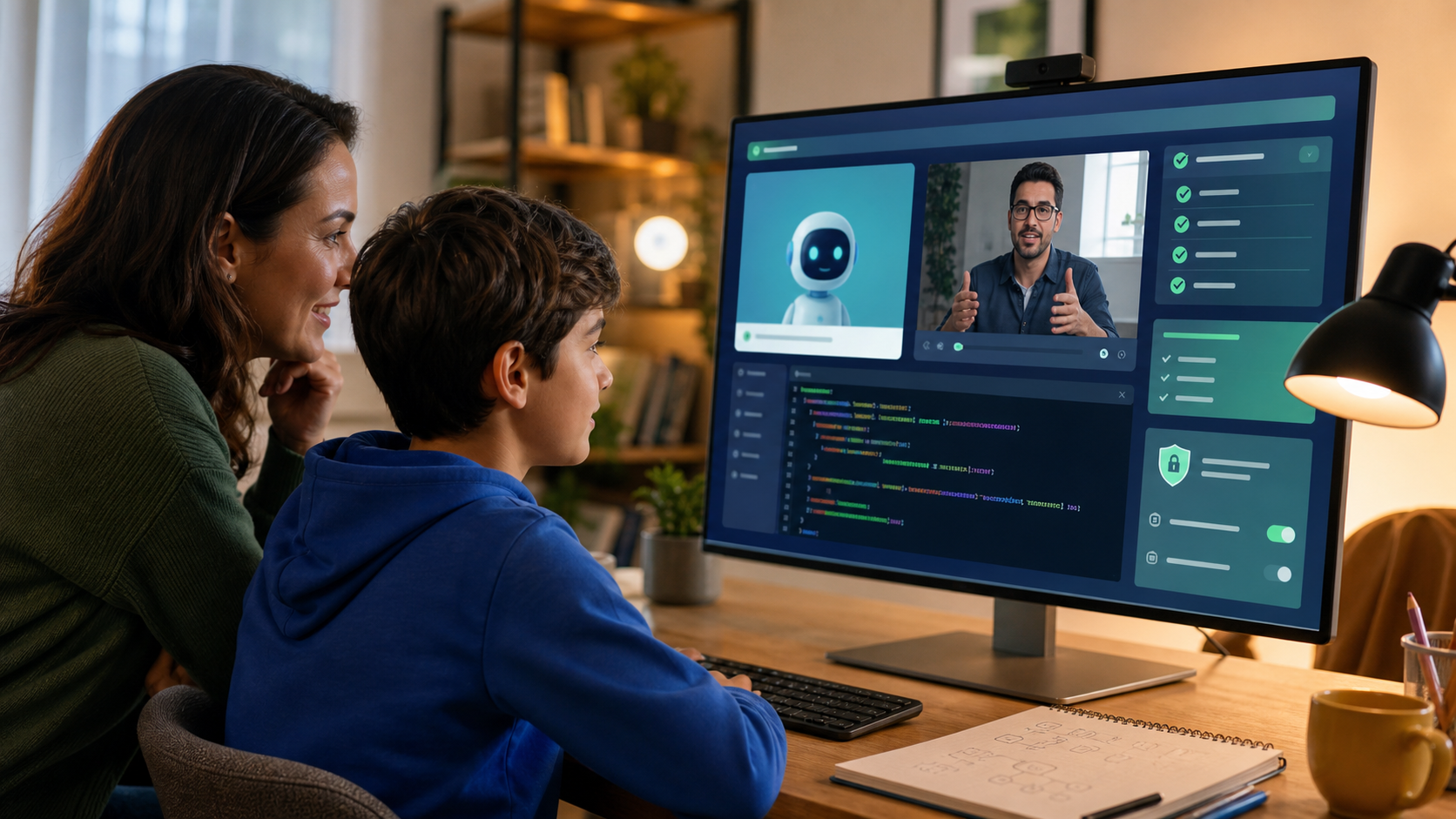
AI tutors for kids are moving from novelty to normal family question. A child can now ask a chatbot to explain fractions, debug Python, summarize a reading assignment, generate study questions, or help outline a science project. Some tools call themselves tutors. Some are homework helpers. Some are general AI chatbots being used as tutors whether or not they were designed for children.
That creates a real opportunity for families. It also creates a real judgment problem.
The promise is appealing: instant explanations, patient feedback, practice on demand, and help when a parent is busy or a teacher is unavailable. The risk is just as clear: a child may stop doing the thinking, accept incorrect answers, share private information, or learn how to produce finished-looking work without building durable skill.
The useful question is not "Are AI tutors good or bad for kids?" The useful question is: "What kind of AI tutor actually helps a child learn?"
For families comparing AI classes for kids, coding classes for kids, online STEM classes, or Python for Kids, the answer matters. AI tutoring can be powerful when it is embedded in a structured learning experience. It is much weaker when it becomes an always-available answer machine.
Quick Answer: Are AI Tutors Good For Kids?
AI tutors can be good for kids when they guide students through thinking, give hints before answers, adapt to the student's level, protect privacy, and connect help to real practice.
They are not a good fit when they:
- Give full answers too quickly.
- Let students paste homework and receive a finished response.
- Fail to explain mistakes.
- Use vague encouragement without checking understanding.
- Collect more personal data than necessary.
- Make it hard for parents to see what happened.
- Replace projects, practice, reading, writing, debugging, or teacher guidance.
A strong AI tutor should behave less like a solution vending machine and more like a patient coach. It should ask questions, notice patterns, explain one step at a time, and help the student prove understanding through action.
In technical subjects, that action matters. If a student is learning coding, the tutor should help them read code, run it, test it, fix errors, and explain what changed. If a student is learning AI literacy, the tutor should help them verify outputs, question sources, and understand when not to use AI.
Why Parents Are Asking About AI Tutors Now
AI use among students is no longer theoretical. Pew Research Center reported in February 2026 that 64% of U.S. teens say they use AI chatbots, and many teens report using them for schoolwork. That does not mean every use is harmful. It does mean parents need a more precise standard than "AI is allowed" or "AI is banned."
Schools are also moving quickly. Code.org's 2025 State of AI and Computer Science Education report tracks AI education policy alongside computer science education, including whether states have AI and CS standards, school guidance, professional learning, or graduation requirements. The broader signal is clear: AI literacy is becoming part of modern education, not an extracurricular curiosity.
At home, the search intent is practical. Parents are asking:
- Can an AI tutor help my child catch up?
- Is AI homework help cheating?
- What is safe for elementary or middle school students?
- Can AI teach coding?
- Will my child become dependent on AI?
- How do I know whether real learning is happening?
Those are better questions than the hype cycle usually allows. AI tutors can make learning more accessible, but only if families choose tools and programs that keep the student responsible for the thinking.
What An AI Tutor Actually Does
An AI tutor is software that uses artificial intelligence to respond to a student's questions, practice attempts, or learning progress. In 2026, that usually means some combination of:
- Conversational explanations.
- Hints and step-by-step guidance.
- Practice problems.
- Code suggestions.
- Writing feedback.
- Error explanations.
- Study planning.
- Progress summaries.
- Personalized review.
The important distinction is design. A general chatbot can answer a question. A learning-focused AI tutor should manage the interaction so the student does not skip the work.
For example, a weak interaction looks like this:
Student: "Write my Python guessing game."
AI: "Here is the complete code."
A stronger tutoring interaction looks like this:
Student: "I want to make a Python guessing game."
AI tutor: "Great. What should the program ask first? Let's write the first two lines together. After that, predict what the variable will store before you run it."
The second version is slower, but it builds skill. The student has to plan, type, test, and explain. That is the difference between help and outsourcing.
The Real Benefit: Better Feedback Loops
The best reason to use AI tutoring is feedback.
In many homes, a child gets stuck and has to wait: for a teacher, a parent, a friend, a video, or the next class. During that wait, motivation often drops. AI can reduce that delay. A good tutor can explain an error message, ask a guiding question, or suggest one small next step.
That matters in coding and STEM because progress is built through tight loops:
- Try something.
- Run it.
- Notice what happened.
- Diagnose the gap.
- Revise.
- Try again.
When students get timely help inside that loop, they can persist longer. They also learn that confusion is part of building, not a sign that they are "bad at tech."
For a beginner in Python for Kids, that might mean understanding why a loop never stops. For a teen learning web development, it might mean seeing why a button is not responding to a click. For a student exploring AI, it might mean learning why a confident chatbot answer still needs verification.
AI tutoring is strongest when it keeps students in motion without removing responsibility.
The Learning Risk: AI Can Become A Crutch
The most important risk is not that AI gives a child help. Good tutors give help. The risk is that AI gives help in a way that weakens independent performance.
Research on generative AI tutoring in high school math has found a useful warning: access to AI can improve performance while students are using the tool, but unrestricted access may reduce later independent performance when the tool is removed. In the same line of research, guardrails that nudged the tool toward teacher-designed hints instead of direct answers helped reduce the damage.
For parents, the takeaway is simple: the form of help matters.
An AI tutor should make the student do more of the durable work, not less. That means the student should still:
- Recall concepts from memory.
- Attempt problems before asking.
- Explain their reasoning.
- Make predictions.
- Debug mistakes.
- Practice without AI sometimes.
- Build projects that can be shown and discussed.
If a tool produces a clean answer but the child cannot explain it, that is not learning. It is output.
What Parents Should Look For In An AI Tutor
Use this checklist before trusting an AI tutor with your child's learning.
1. It gives hints before answers
The strongest tutors do not rush to the final response. They ask what the student has tried, give a small clue, and invite the student to continue.
For coding, this might look like:
- "Check the variable name on line 4."
- "What do you expect this loop condition to do?"
- "Try printing the value before the if statement."
Those hints preserve the student's role as the builder.
2. It explains mistakes clearly
Kids should not only know that something is wrong. They should understand why it happened and what pattern to notice next time.
Good feedback is specific: "This function is being called before it is defined" is better than "There is an error." Better still is: "Move the function definition above the call, then run it again and describe what changed."
3. It adapts without lowering the bar too far
Personalization should not mean the tool makes every task easy. A good tutor adjusts language, examples, pacing, and practice, but it should still challenge the student.
The goal is productive difficulty: hard enough to require thinking, supported enough to keep going.
4. It protects privacy
Children should not need to share full names, school details, home addresses, private family information, medical details, passwords, or personal photos to get academic help.
Parents should look for clear privacy practices, age-aware design, and limits on what the tool asks from students. For a deeper family framework, see our guide to AI literacy for kids and chatbot rules.
5. It makes progress visible
Parents need more than "my child spent time in the app." Useful systems show what the student practiced, what they completed, where they struggled, and what they can now do independently.
In a technical learning program, progress should connect to artifacts:
- A working program.
- A web page.
- A debugged function.
- A completed challenge.
- A short reflection.
- A project the student can explain.
This is why productive screen time is not measured only by minutes. It is measured by what the student is building and understanding.
6. It has clear boundaries around schoolwork
Families should separate learning help from assignment completion.
A healthy rule is: AI can explain, quiz, hint, compare, and review. It should not write the final homework response unless the assignment explicitly allows that kind of AI use.
Parents can ask a simple follow-up: "Show me the part you changed yourself." If the child cannot identify their own thinking, the tool is doing too much.
AI Tutor Vs. Coding Class: Which Is Better?
An AI tutor and a coding class are not the same thing.
An AI tutor is a support layer. It can help with confusion, feedback, explanations, and practice. A strong coding class provides the larger structure: sequence, projects, standards, progression, skill goals, and a reason to keep building.
For most students, the best model is not AI tutor or class. It is an AI-supported class with a clear curriculum.
That matters because beginners do not always know what to learn next. A child may ask AI for a game, but not know that they need variables, loops, functions, events, input handling, state, and debugging habits. Without a path, AI can create random momentum. With a path, AI can support real progression.
Generation STEM is built around that idea. Students work through structured technical courses while Nova, the AI mentor, helps them stay unstuck. The student still reads, builds, runs code, debugs, earns progress, and completes projects. The AI support is inside the learning path instead of replacing it.
Age-By-Age Guidance
Ages 8-10
AI tutoring should be highly guided and parent-visible. Students this age benefit from short explanations, concrete examples, and project-based activities. Good uses include asking for a hint, explaining a confusing word, practicing with a parent nearby, or getting help reading an error message. Avoid unsupervised open chat, assignment-writing, personal details, and long sessions without a clear task.
Ages 11-13
Middle school students can begin learning AI habits directly. They should practice asking better questions, checking answers, and explaining what they learned. AI can help them debug simple code, compare explanations, generate practice questions, ask for hints before full solutions, and build small STEM projects. The line to protect is clear: no copying full essays or code, no treating AI as always correct, and no using AI without reviewing sources.
Ages 14-18
Teens can use AI more powerfully, but the standards should be higher. They should document tool use, verify claims, test code, and understand the systems they are building. AI is useful for code review, debugging support, project planning, career exploration, vocabulary practice, and comparing implementation choices. It should not become a way to submit generated work as their own, skip foundational practice, or avoid reading documentation and error messages.
A Simple Parent Test: Can They Explain It?
Before trusting an AI tutoring session, ask your child three questions:
- What were you trying to do?
- What did the AI help with?
- What do you understand now that you did not understand before?
If the child can answer those questions, the session probably supported learning. If they only say "the AI fixed it," the tool may have bypassed the learning.
For coding projects, add two more:
- Which line did you change?
- What happens if we remove or edit that line?
That small conversation reveals whether the student has a mental model or only a finished screen.
How AI Tutors Should Fit Into Family Learning
AI tutoring works best when families set a few clear norms:
- Try first, then ask.
- Ask for hints before answers.
- Do not paste private information.
- Verify important claims.
- Practice without AI sometimes.
- Keep a record of what AI helped with.
- Build something you can explain.
Those norms turn AI from a shortcut into a learning instrument.
They also make AI less mysterious for parents. You do not need to understand every technical detail to evaluate whether learning is happening. Look for effort, explanation, iteration, and independence.
Where Generation STEM Fits
Generation STEM is designed for families who want modern technical education without random internet wandering.
Students learn through structured courses, browser-based workspaces, project milestones, XP, achievements, and Nova support. That makes AI help available where it is useful, but the student still has to build.
If your child is ready to use AI as a learning partner rather than an answer shortcut, start with AI classes for kids, coding classes for kids, or online STEM classes. If they want a concrete first technical track, Python for Kids is one of the best places to begin.
FAQ: AI Tutors For Kids
Are AI tutors safe for kids?
AI tutors can be safe when they are age-aware, privacy-conscious, transparent to parents, and used with clear boundaries. Open-ended chatbot use without supervision is riskier, especially for younger children.
Can an AI tutor replace a human teacher?
No. AI can provide practice, explanations, hints, and feedback, but it should not replace human judgment, curriculum design, emotional support, or accountability. The best use is as a support layer inside a structured learning experience.
Is AI tutoring the same as cheating?
Not always. Asking for an explanation, hint, quiz, or debugging clue can support learning. Asking AI to complete an assignment and submitting the output as the student's own work crosses a different line. Families should follow school rules and keep AI use transparent.
What is the best AI tutor for coding?
The best AI tutor for coding is one that helps students read, write, run, test, and explain code. It should avoid dumping complete solutions too quickly and should connect help to real projects. A structured program with AI support is usually stronger than a general chatbot alone.
What age should kids start using AI tutors?
Children can begin with guided AI support around ages 8-10 if an adult can supervise and the tool is designed for learning. Middle school students can start learning AI habits more directly. Teens can use AI more independently if they understand verification, privacy, academic integrity, and independent practice.
How can parents tell whether AI tutoring is working?
Look for evidence of understanding: completed practice, projects the child can explain, fewer repeated mistakes, clearer vocabulary, better debugging habits, and the ability to solve related problems without AI.
Suggested Related Articles
- AI Literacy for Kids: The Chatbot Rules Parents Should Teach First
- Vibe Coding for Kids: Should Parents Let AI Build Apps?
- Productive Screen Time for Kids: What Parents Should Look For
- Best Programming Language for Kids in 2026: Python, Scratch, JavaScript, or AI?
Sources And Further Reading
- Pew Research Center: How Teens Use and View AI
- Code.org Advocacy Coalition: 2025 State of AI and Computer Science Education
- Generative AI without guardrails can harm learning: Evidence from high school mathematics
Next Step
If your child is already asking AI for help, the next move is not panic or blind trust. Give them structure. Start with a learning path where AI support is connected to real projects, safe habits, and visible progress.
Explore Generation STEM AI classes for kids or compare family plans to start building technical skill with guidance.